AI Answer 03 React component
An agent-style AI answer card, a researching/reading/writing step tracker with a progress rail, markdown-style bold and bullet text, clickable inline citations, source cards, follow-up questions, and custom/sunset themes.
About the AI Answer 03 component
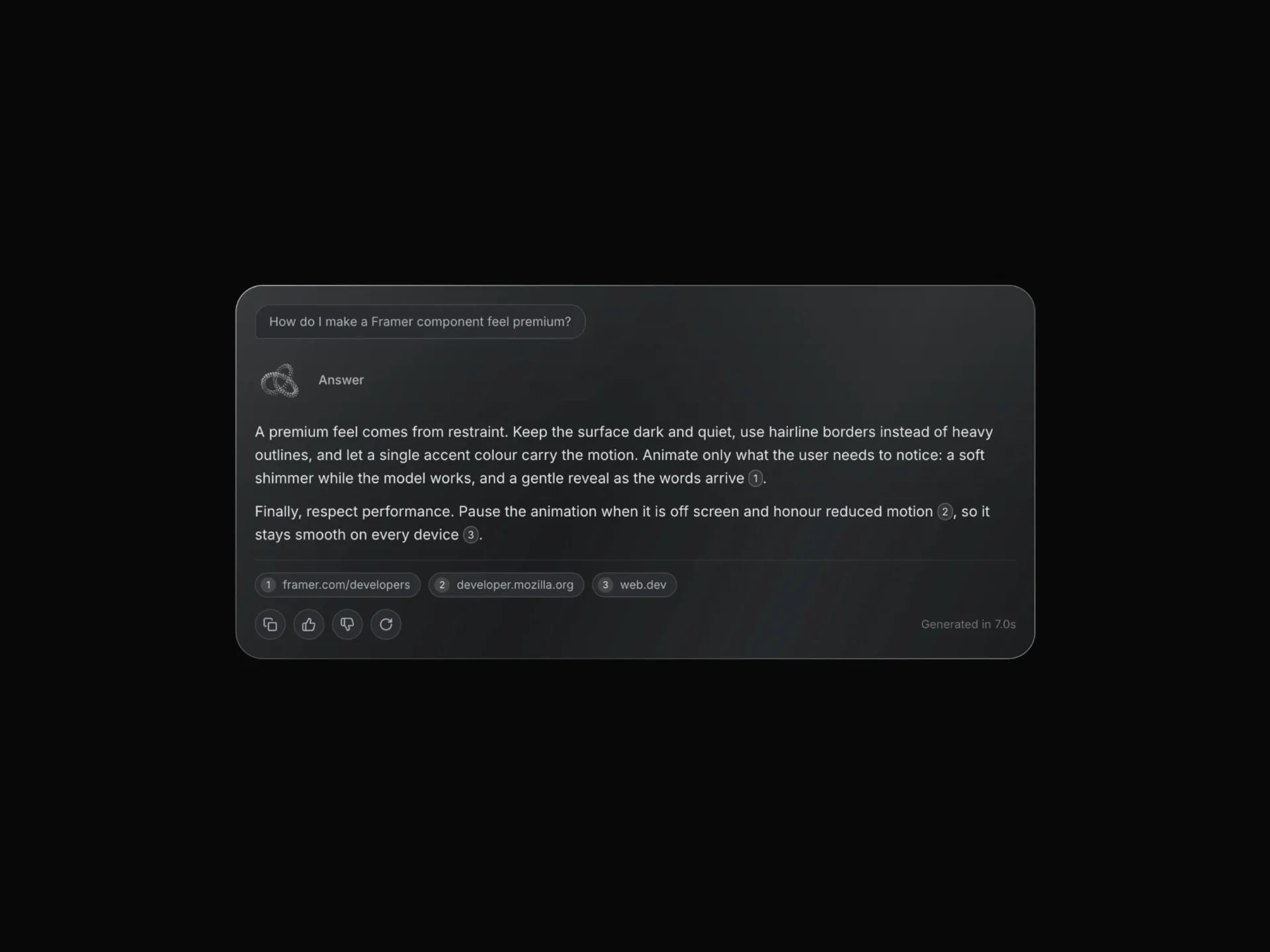
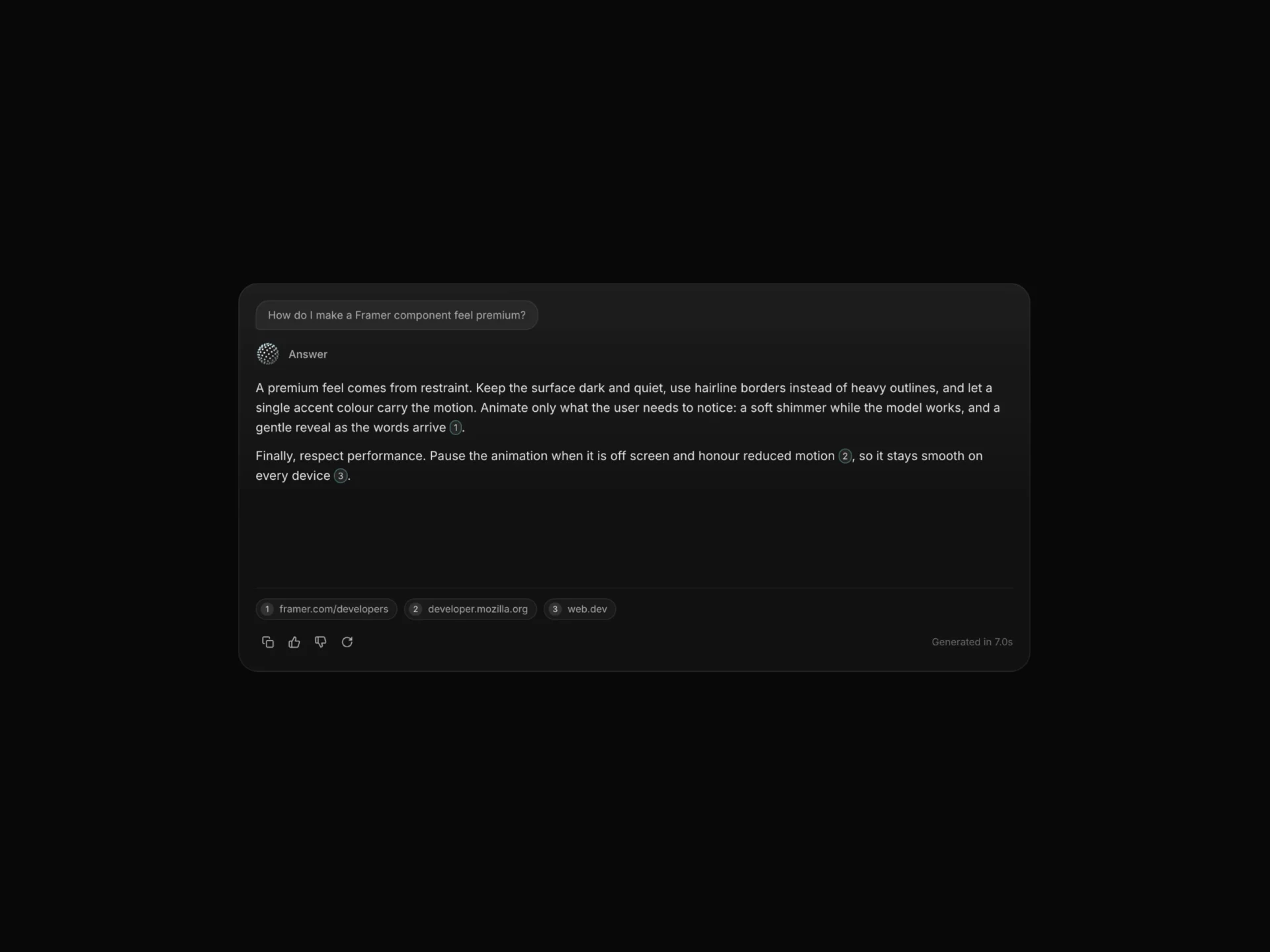
AI Answer 03 is a free, agent-style answer card. A step tracker walks through its steps (Searching, Reading sources and Writing by default) with a progress rail and an elapsed timer, then the answer is written in with light markdown: **bold** runs, lines starting with - as bullets, and [1] style markers as superscript links that jump to the matching source card. Source cards with a letter icon, domain and title, a feedback toolbar and follow-up question pills appear when it finishes.
question, steps, answer, sources (as { title, domain }) and followUps are props, stepSeconds (0.9) and wordsPerSecond (12) set the pace, and theme="sunset" swaps the glow to warm orange and pink. The article carries QAPage microdata with the question, the answer text and each source as a citation, lang sets its language attribute, and the footer stays inert until the answer is complete. Follow-up pills call onFollowUp, next to onComplete, onStop, onRegenerate and onCopy.
When to use it
Use it for research assistants, AI search results and support bots that look things up before answering, where showing the steps and sources builds trust.
For a simpler card without steps or follow-ups, use AI Answer 01.
Installation
Add the AI Answer 03 component to your project with the shadcn CLI. It lands in components/ai-answer-03.tsx as plain React + Tailwind CSS source you own and can edit.
npx shadcn@latest add @reactframe/ai-answer-03Or copy the source by hand and install its dependencies:
npm install clsx tailwind-mergeProps
<AiAnswer03 /> accepts 41 props, all optional.
| Prop | Type | Default |
|---|---|---|
| preview | "auto" | "searching" | "writing" | "done" | "auto" |
| autoPlay | boolean | true |
| loop | boolean | true |
| loopDelay | number | 3.5 |
| stepSeconds | number | 0.9 |
| wordsPerSecond | number | 12 |
| showQuestion | boolean | true |
| question | string | DEFAULT_QUESTION |
| showSteps | boolean | true |
| steps | string[] | DEFAULT_STEPS |
| answer | string | DEFAULT_ANSWER |
| showSources | boolean | true |
- preview"auto" | "searching" | "writing" | "done"Default: "auto"
- autoPlaybooleanDefault: true
- loopbooleanDefault: true
- loopDelaynumberDefault: 3.5
- stepSecondsnumberDefault: 0.9
- wordsPerSecondnumberDefault: 12
- showQuestionbooleanDefault: true
- questionstringDefault: DEFAULT_QUESTION
- showStepsbooleanDefault: true
- stepsstring[]Default: DEFAULT_STEPS
- answerstringDefault: DEFAULT_ANSWER
- showSourcesbooleanDefault: true
Show all 41 propsShow fewer
| sources | { title: string; domain: string }[] | DEFAULT_SOURCES |
| showActions | boolean | true |
| showFollowUps | boolean | true |
| followUps | string[] | DEFAULT_FOLLOWUPS |
| showTimer | boolean | true |
| searchingText | string | "Researching" |
| writingText | string | "Writing" |
| doneText | string | "Answer" |
| lang | string | "en" |
| font | React.CSSProperties | { fontSize: 15, lineHeight: 1.6 } |
| textColor | string | "#EDEDED" |
| mutedColor | string | "#6B6B6B" |
| glowColors | string[] | DEFAULT_GLOW |
| ringIntensity | number | 0.45 |
| ringSize | number | 8 |
| ringSpeed | number | 40 |
| background | string | "rgba(255,255,255,0.035)" |
| borderColor | string | "rgba(255,255,255,0.08)" |
| radius | number | 28 |
| padding | number | 22 |
| gap | number | 14 |
| theme | "custom" | "sunset" | "custom" |
| onComplete | () => void | — |
| onStop | () => void | — |
| onRegenerate | () => void | — |
| onCopy | () => void | — |
| onFollowUp | () => void | — |
| className | string | — |
| style | React.CSSProperties | — |
- sources{ title: string; domain: string }[]Default: DEFAULT_SOURCES
- showActionsbooleanDefault: true
- showFollowUpsbooleanDefault: true
- followUpsstring[]Default: DEFAULT_FOLLOWUPS
- showTimerbooleanDefault: true
- searchingTextstringDefault: "Researching"
- writingTextstringDefault: "Writing"
- doneTextstringDefault: "Answer"
- langstringDefault: "en"
- fontReact.CSSPropertiesDefault: { fontSize: 15, lineHeight: 1.6 }
- textColorstringDefault: "#EDEDED"
- mutedColorstringDefault: "#6B6B6B"
- glowColorsstring[]Default: DEFAULT_GLOW
- ringIntensitynumberDefault: 0.45
- ringSizenumberDefault: 8
- ringSpeednumberDefault: 40
- backgroundstringDefault: "rgba(255,255,255,0.035)"
- borderColorstringDefault: "rgba(255,255,255,0.08)"
- radiusnumberDefault: 28
- paddingnumberDefault: 22
- gapnumberDefault: 14
- theme"custom" | "sunset"Default: "custom"
- onComplete() => void
- onStop() => void
- onRegenerate() => void
- onCopy() => void
- onFollowUp() => void
- classNamestring
- styleReact.CSSProperties
Kits
Sets of components designed to be used together on one site, AI Answer 03 included.
Collections
Use-case pages that compare AI Answer 03 with the other components that do a similar job.
npm dependencies
Installed for you by the shadcn CLI.
AI Answer 03 FAQ
- Which markdown does the answer support?
- Three things: **bold**, lines that start with "- " or "• " as bullet points, and [n] citation markers. Each line break starts a new paragraph or bullet.
- How do source links work?
- Each source's domain becomes an https link that opens in a new tab with rel="noopener noreferrer nofollow", and a [2] in the text links to the second card.
- How do I use it with a real search or agent?
- Pass the retrieved sources and the model's answer as props. preview="searching" holds the tracker while your agent works; switching to preview="auto" then plays the steps and writes the answer.
- How do I know which follow-up was clicked?
- onFollowUp is called without arguments, so if you need the question text, set showFollowUps={false} and render your own follow-up buttons.
- Can I hide the timer or the steps?
- Yes, showTimer={false} and showSteps={false}; showSources, showActions and showFollowUps control the footer.